
1 / 8
Tool
MU - World Editor Studio
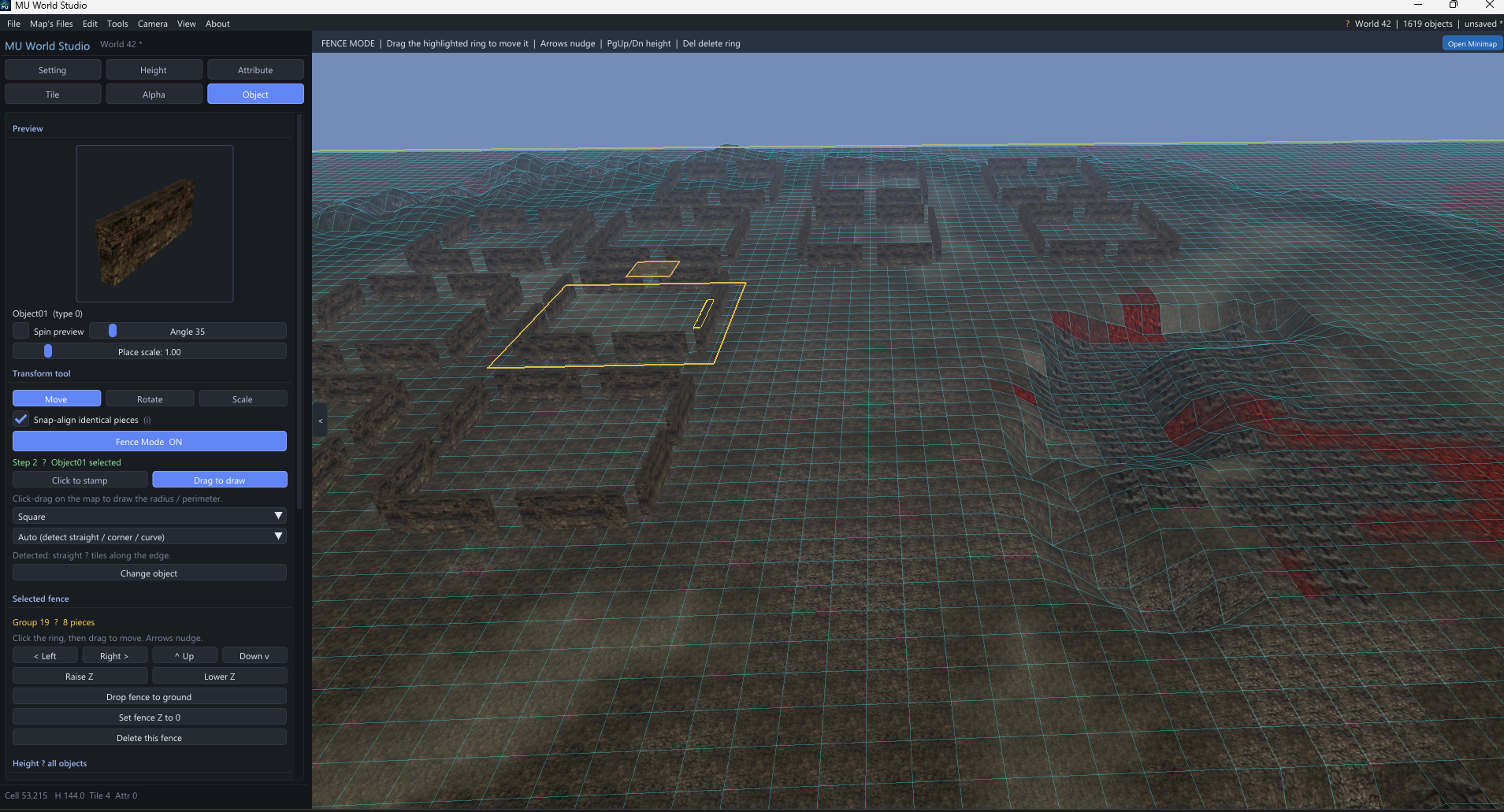
Standalone 3D Mu Online map editor for real client World folders. Open Data\WorldN, sculpt terrain, paint tiles and walk flags, place BMD objects, then save EncTerrain files the game actually loads — plus a server Terrain.att for GameServer. Built for private-server owners and map makers. Lorencia-aware object slots (named models, not dead ObjectNN gaps), live BMD preview, snap-align for walls and fences, and Fence Mode to stamp a whole ring then drag or nudge it as one piece. Undo/redo, in-game camera views, import models from other worlds, and a licensed key emailed on purchase.
$100.00
Features:
- Open any client WorldN folder and edit outside the game
- Save EncTerrain.obj / .enc the live client reads
- Export GameServer Terrain.att
- New map, Save As, remembers last world
- Undo / Redo (Ctrl+Z / Ctrl+Y)
- Orbit 3D, Fly, and 3rd-person WASD cameras
- Game-view angle and frame-whole-map
- Real textures, height heat, and attribute overlay
- BMD 3D models, fog, full-bright preview
- Animate flags, cloth, and water
- Cinematic map auto-tour
- Minimap jump-to-location
- Height sculpt: raise, lower, smooth, flatten, set level, noise
- Level the entire floor to a target height
- Attribute brush: safe zone, wall / no-walk, clear
- 2D *.Att grid editor (safe, no-move, no-ground, water)
- Live walk / safe / blocked map stats
- Paint tile Layer 1 and Layer 2
- Visual tile picker with real textures
- Alpha blend painter
- Object palette with live 3D preview
- Ctrl+Click place, gizmo move / rotate / scale
- Object inspector: position, rotation, scale
- Grid snap and height snap
- Snap-align identical fences and walls
- Drop objects to ground or Z = 0
- Lorencia named slots so objects show in-game
- Import BMD models from other worlds
- Live import preview + unused-slot detect
- Texture copy and .bak backup on overwrite
- Fence Mode: stamp circle or square rings
- Auto straight / corner / curve pieces
- Click-drag a whole fence, arrow-nudge on screen
- Raise / lower fence, drop ring to terrain
- Delete a fence group in one action
- All objects → map height or Z = 0
- Hide / isolate selected objects
- Default setup saved for next launch
- License key auto-issued after purchase